

L7 Admin Guard

Admin Panel Protection Without VPN

Convenient access configuration distribution from admin to team with automatic traffic routing

⚠️ We do not provide proxy servers. Administrator uses an access server of their choice.

How It Works

1

Admin restricts access

Only access server IP allowed via whitelist

2

Creates configuration

Specifies domains, access server, and expiration on l7.run

3

Gets a token

5-character code to share with the team

4

Team gets access

Install extension, enter token — done!

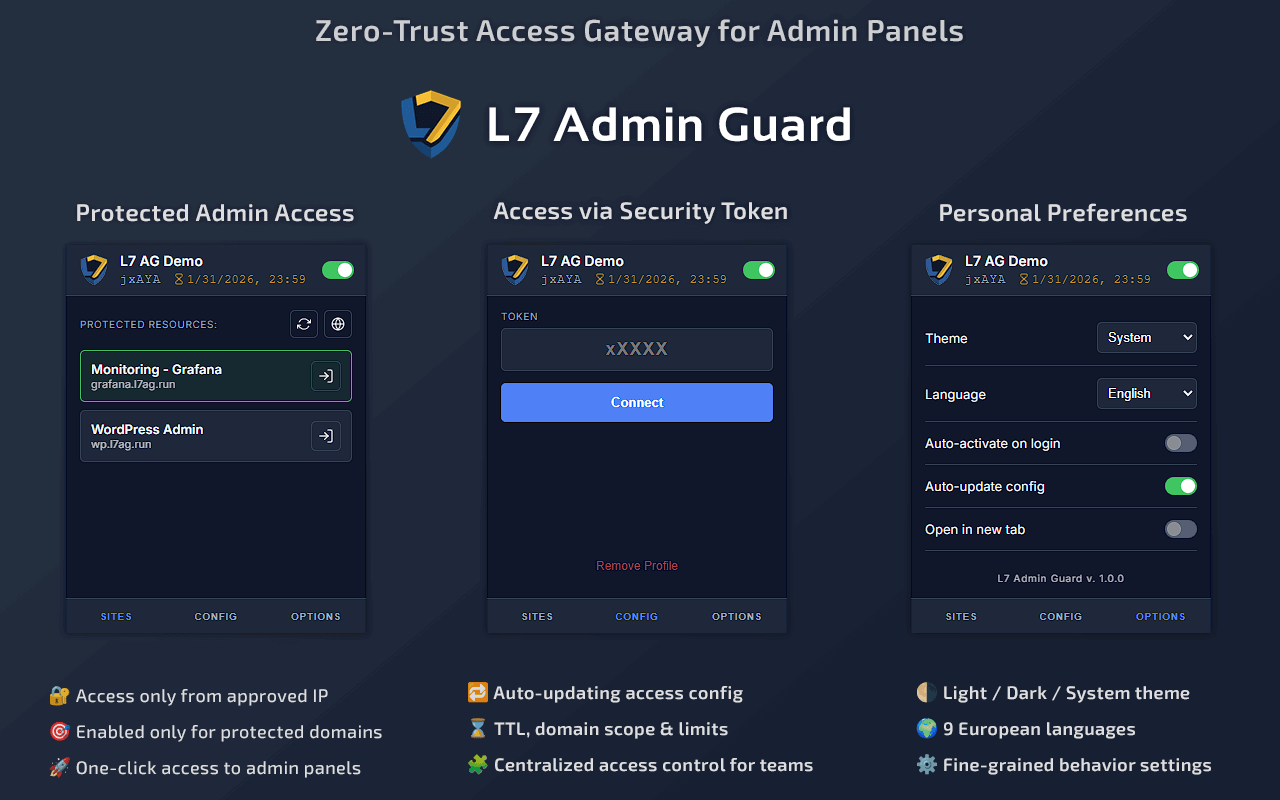
Extension in Action

L7 Admin Guard - Основные возможности

💡 Click on the image to enlarge

Try It Now

🔐 WordPress Admin

wp.l7.run
Disabled WordPress 404
Enabled WordPress Login

Protected access to WordPress admin panel

Try Now →

📊 Grafana Monitoring

grafana.l7.run
Disabled Grafana 404
Enabled Grafana Login

Protected access to monitoring dashboard

Try Now →

💡 How to try:

  1. Install the extension (download)
  2. Введите демо-токен: jxAYA
  3. Перейдите на wp.l7.run или grafana.l7.run
  4. See the login page instead of 404 ✨

Why Not VPN?

VPN
L7 Admin Guard
Routing
All traffic
Protected domains only
Speed
Slower
Full speed
Setup
Manual for each user
One token for team
Temporary access
Complex
30 min, end of day
Abuse risk
Torrents through your server
Impossible

💡 Пример: Контент-менеджер подбирает видео-обзор на YouTube для магазина. С VPN весь трафик шёл бы через VPN-сервер. С L7 Admin Guard — YouTube напрямую, админка защищена.

Key Features

🔐

Selective Routing

Only protected domains through proxy

👥

Easy Distribution

One token for the whole team

Temporary Access

30 minutes, end of day, any duration

🔄

Auto-update

Changes apply automatically

🔒

Encryption

Configs never stored in plain text

🌐

9 Languages

EN, UK, RU, DE, FR, ES, IT, PT, PL

Use Cases

WordPress
cPanel / Plesk
Grafana / Kibana
Custom CMS
Staging
Any admin panels

Security

🔑 Master Password

Config encrypted with your password.

🛡️ Server Password

Automatic encryption when stored in DB.

Get Started

Install the extension and enter token from your administrator

×