
All scenarios / Securely expose internal tools on localhost.
Case 09 · Localhost & Private IPs

Securely expose internal tools on localhost.

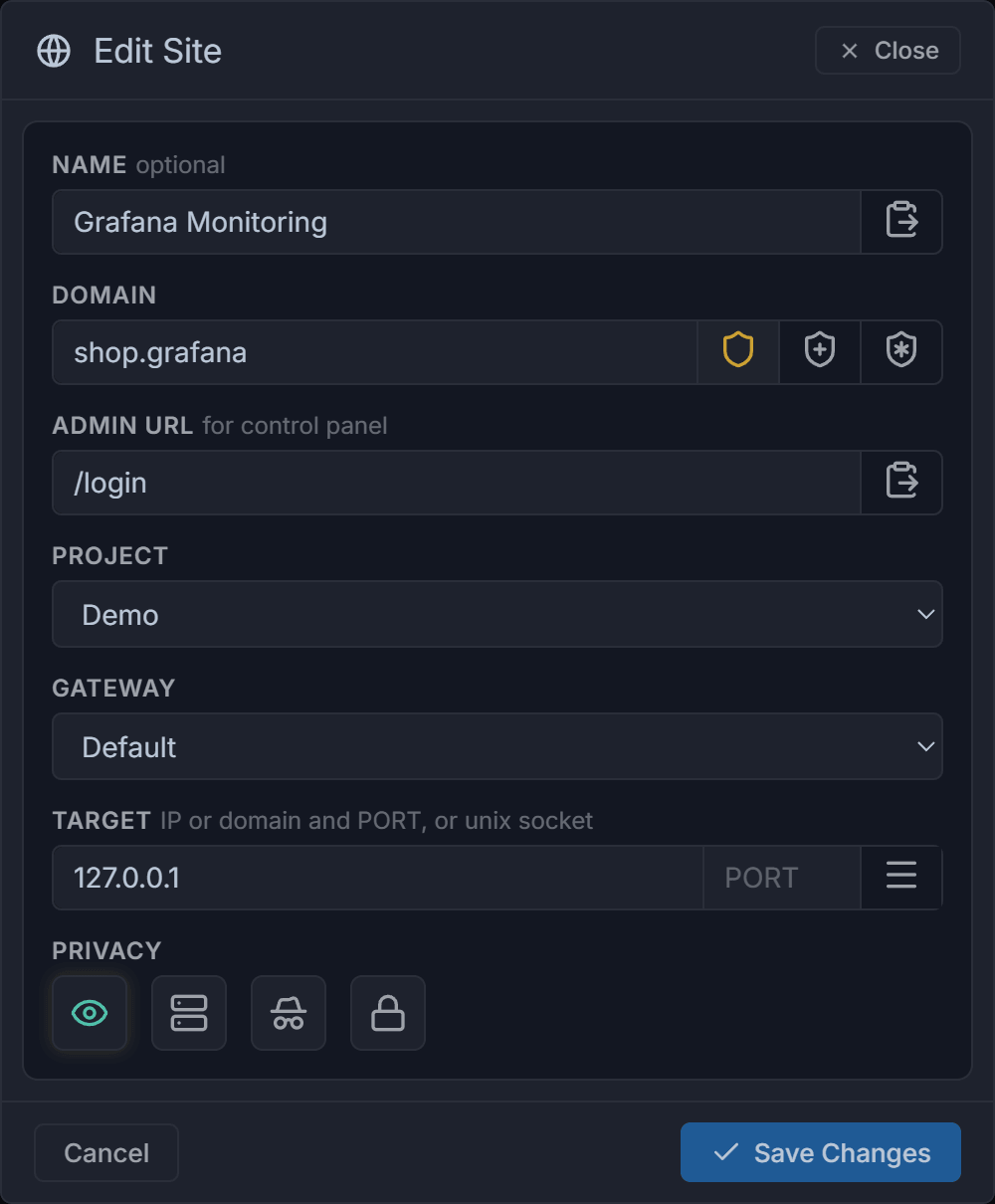
The gateway is a lightweight 8MB Go binary. Install it on your server and route friendly domains (like shop.grafana) directly to 127.0.0.1:3000 or a private IP. No public exposure, no VPNs required.

8 MB
Lightweight Go binary
100%
Hidden from scanners
0
Auth pages exposed
01

The problem → L7 Admin Guard way

Status quo

Exposing internal tools is risky.

Many internal tools don't have built-in authentication, or you simply don't want to expose their auth pages to the public internet where scanners can find them. Usually, this means setting up a cumbersome corporate VPN.

L7 Admin Guard way

TLS-SNI pre-auth + instant connection drops.

The extension routes traffic to the gateway, which forwards it to localhost. Access requires a correct SNI and unique credentials (login/password). Any incorrect attempt instantly drops the connection without returning an error, keeping your services completely invisible.

02

How it works

Browser Extension ON Intercepts shop.grafana
tunnel →
Gateway Pre-auth via SNI Checks credentials
proxies to →
Localhost 127.0.0.1:3000 Not exposed to internet
03

Step by step

01

Install the lightweight gateway

Run a simple command. The installer downloads the 8MB binary, adds it to autostart, and gets certs automatically. The gateway instantly appears as 'Active' in your dashboard.

sh
curl -fsS https://l7.run | sh -s -- -t TOKEN
02

Map the domain

In the dashboard, configure a readable domain (like shop.grafana) to point to 127.0.0.1:3000 on that gateway.

03

Access securely

The extension securely routes the domain to the gateway. Unauthorized scanners get their connections dropped instantly.

04

Common questions

How difficult is it to install the gateway?
Installation is a single command. The gateway has no configuration file—everything is managed from the Control Plane. A Google Trust Services certificate is issued automatically via DNS-01 during setup, meaning the gateway does not need port 80 open.
What if port 443 is already taken?
By default, the gateway installs on port 443, but you can specify a different port during installation if 443 is already in use by another service.

Ship this in five minutes.

Live demo, no signup. Or grab the trial — every feature, fourteen days, no card.